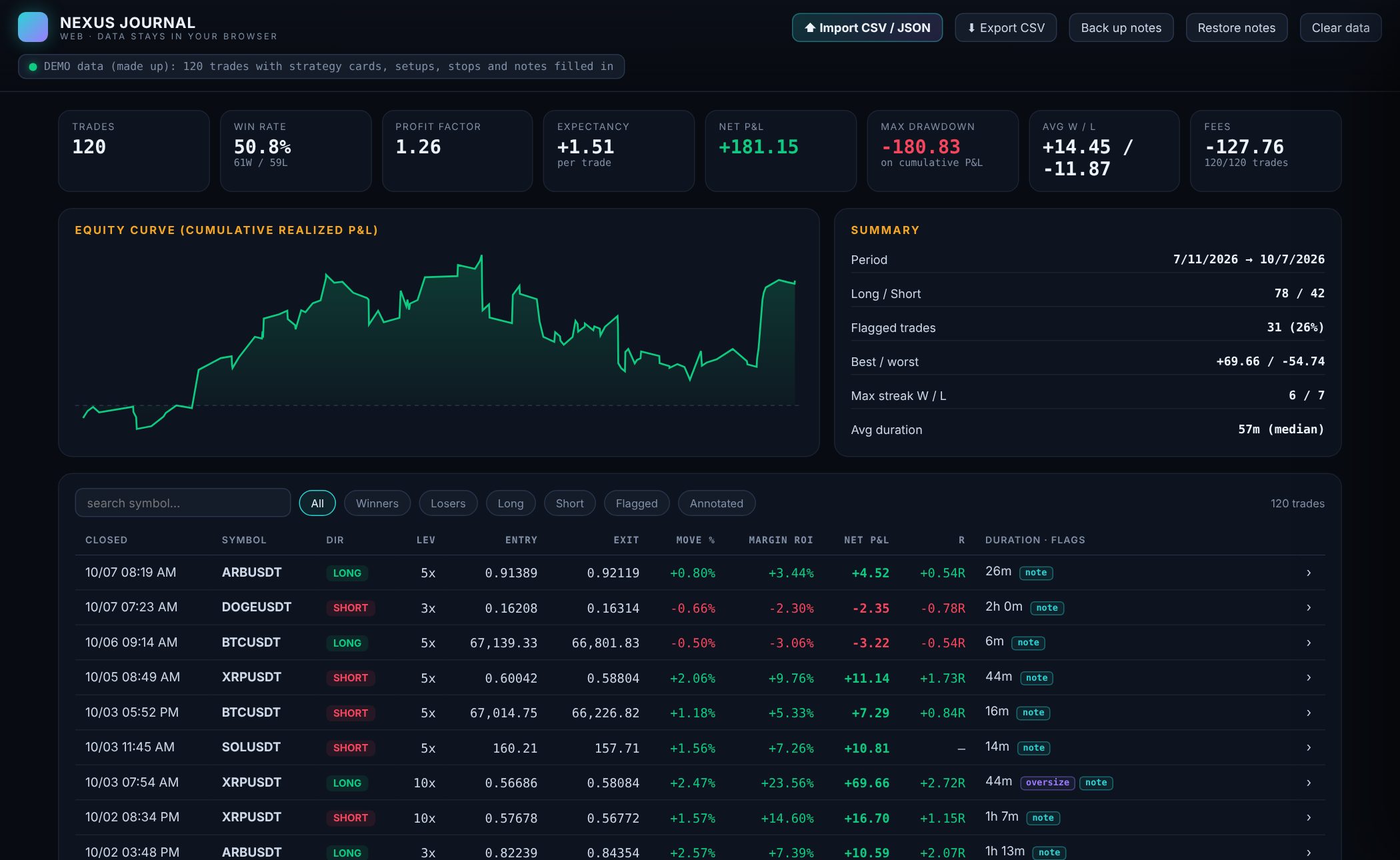
Stats that matterWin rate, profit factor, expectancy, drawdown, streaks and fees, on every trade you log.
R multiplesJudge each trade against the risk you took, not the dollars it moved.
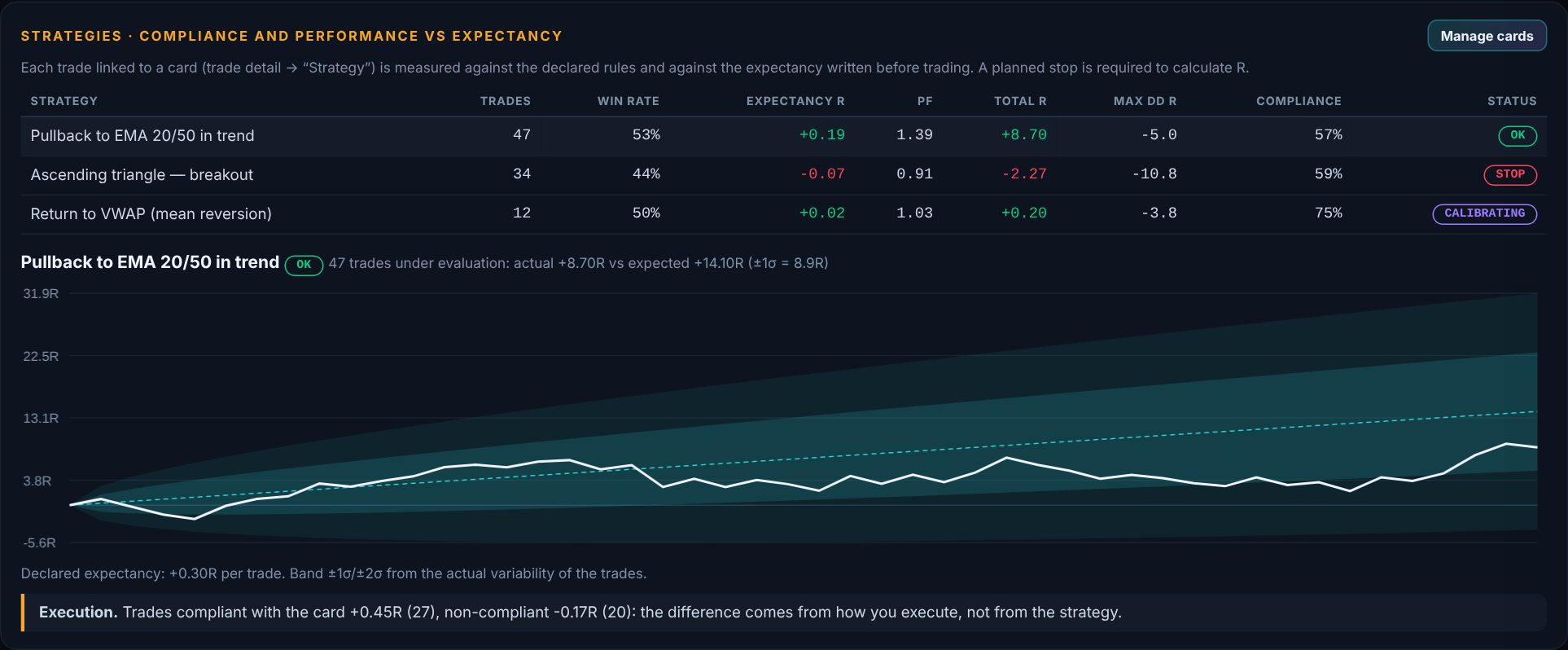
Strategy cardsWrite the rules once. Tag trades to a strategy and compare strategies on the same numbers.
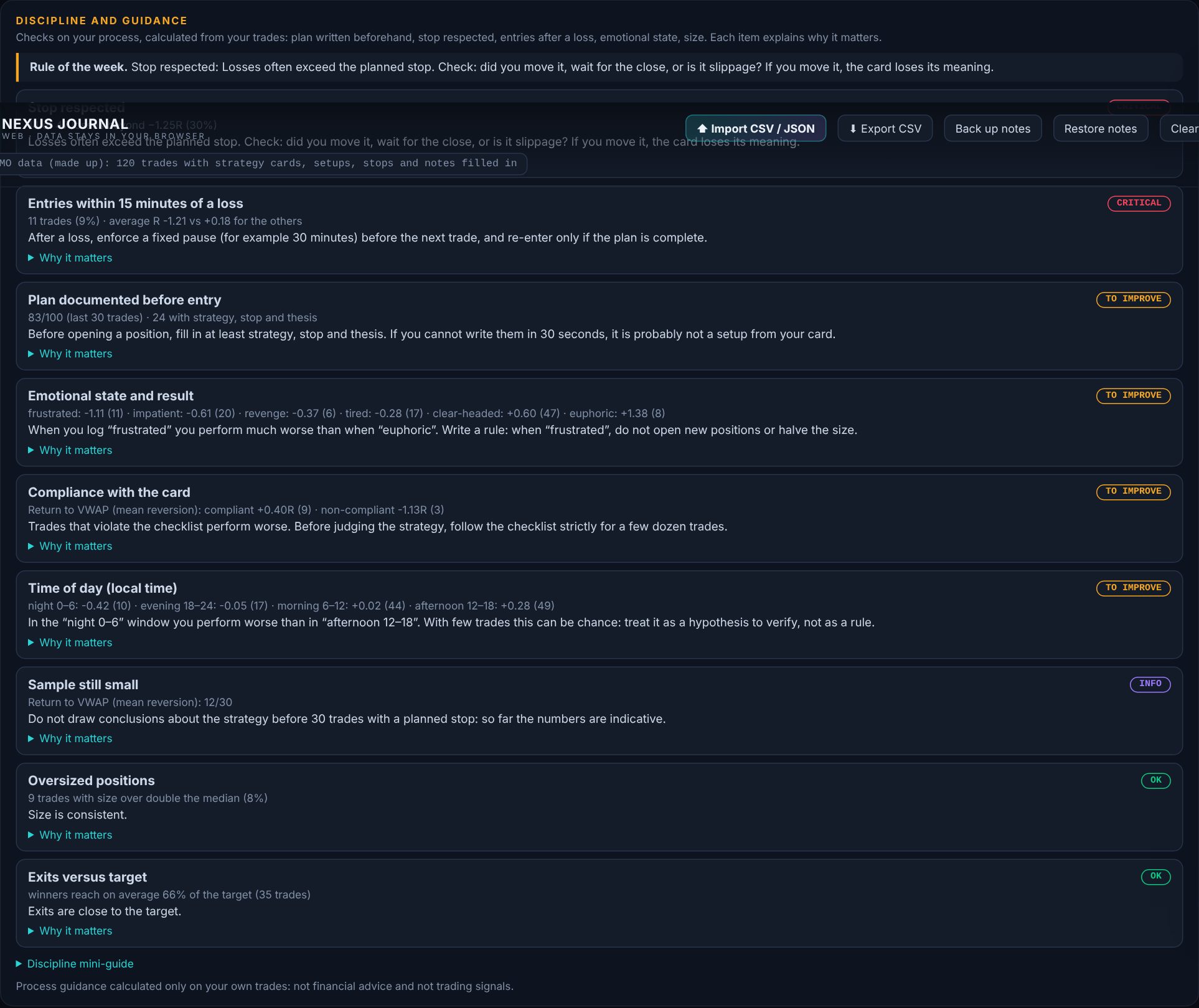
Discipline checksFlags for oversize, missing stops and rule breaks, so habits show up in data.
Private by designRuns in your browser. Your trades never leave your device.
Import and exportBring a CSV or JSON in, take your data out any time.
Learn freeShort video lessons on the channel explain the idea behind each tool.
Use the toolCalculators and the journal run in your browser. No account.
Review with the journalLog trades, measure in R, see what your process really does.
Screenshots show demo data. The journal studies your own process and gives no signals or advice.
Questions people ask
Do I need an account to use NEXUS Journal?
No. There is no sign-in. It runs in your browser and keeps your trades in local storage on your device. You can import CSV or JSON and export CSV.
Is NEXUS Journal a free crypto trading journal?
Yes, you can try it with demo data and then log your own trades. It measures win rate, profit factor, expectancy, drawdown, streaks, fees and results in R.
How do I keep a backup of my trades?
Use Export CSV to save a copy of your trades. Clearing your browser's site data deletes the journal, so keep a backup.